Filter where the tunnel ends
AdGuard rules run on the console exit. Reusable domain groups, department scope and a branded block page for denied requests.
Self-hosted WireGuard access control
Issue peers, watch handshakes and manage exits across regions. Self-hosted, MFA-gated and reachable without inbound management ports.
Illustrative topology. Peer traffic stays on the exit you assign.
Every node dials out to the console. Every peer attaches to the exit you assign. Nothing in between needs a public management port.
Control plane runs over HTTPS. Peer traffic stays between the device and its exit.
See it in the demoCreate the node, copy its token and run the installer on the host. The agent dials out, picks up its WireGuard config and keeps it applied.
curl -fsSL https://raw.githubusercontent.com/garyhooi/wireguard-console/main/node-install.sh \
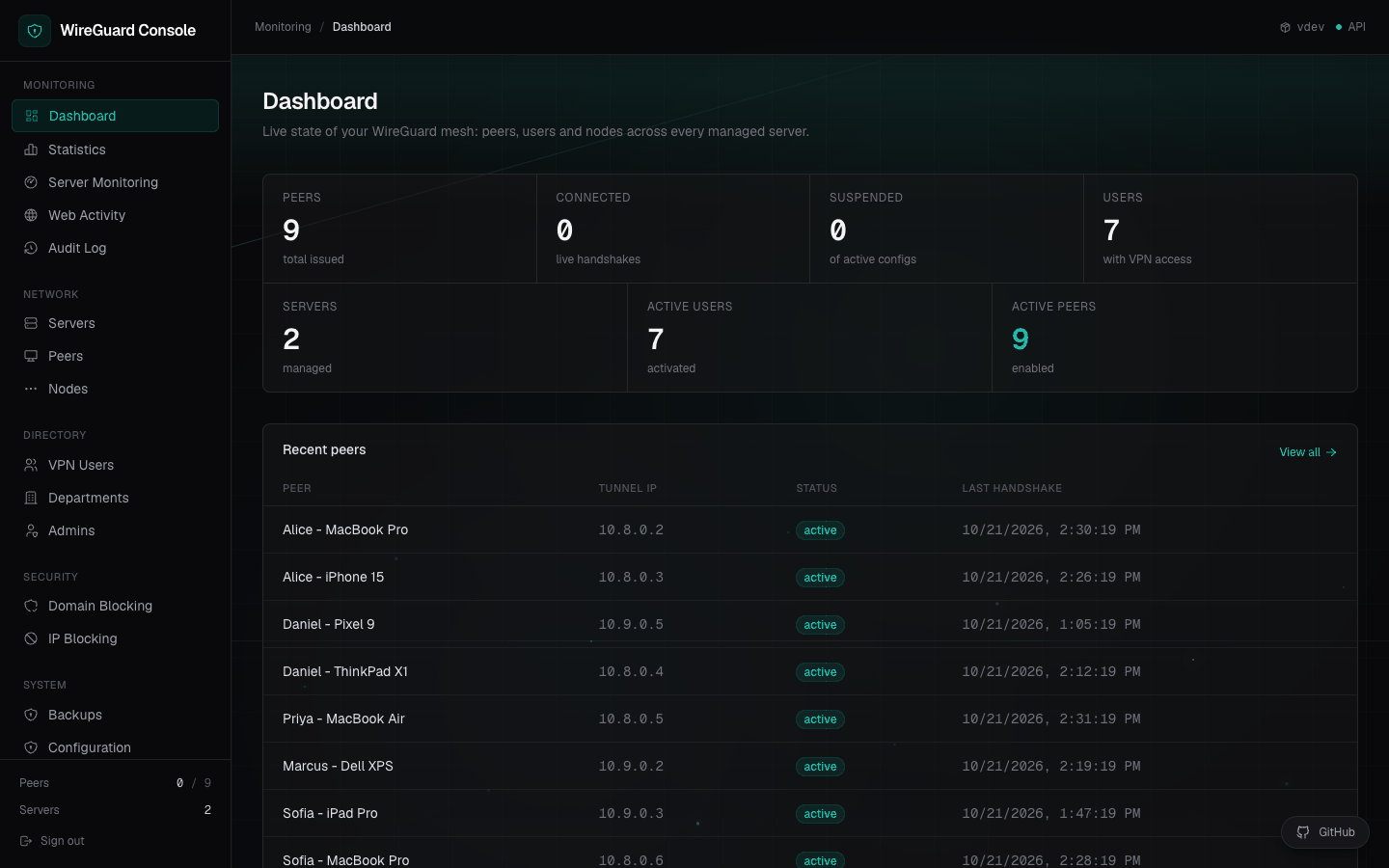
| sudo bash -s -- <TOKEN> https://console.example.com <NODE_ID>The admin surface is the product. Peers, users, exits, filtering and audit live in one place, with no separate config repo to drift.

Issue, suspend and revoke devices. Public keys and tunnel IPs are generated for you.
See which peers are up and when they last handshook. Traffic charts cover the console host.
Block domain groups globally, per user or per department through AdGuard, with a branded block page.
Drop IPv4 and IPv6 addresses or ranges before NAT, globally or per user, with reusable groups.
Review web activity on the console exit, export usage as CSV and follow every admin action.
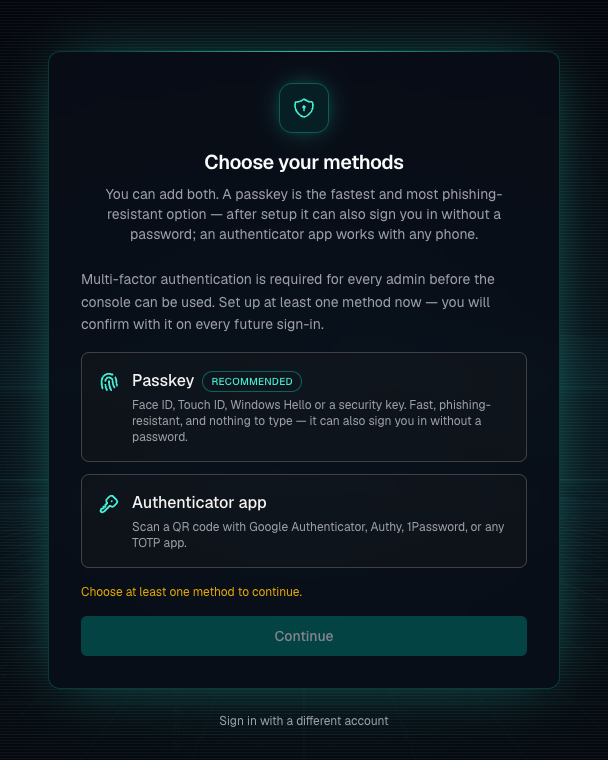
The console issues the keys, so the console is the thing worth protecting. Every session carries a second factor, and every admin can enroll before they touch a peer.
Every admin enrolls a passkey or an authenticator app before the first session is issued.
A saved passkey can replace the password entirely, with Face ID, Touch ID or a security key.
Restores and other irreversible actions ask for MFA again, even inside a signed-in session.
Single-use recovery codes, plus a super admin reset path when a factor is lost.

Filtering, blocking, reconnects and backups. The work between a handshake and a clean audit trail.
AdGuard rules run on the console exit. Reusable domain groups, department scope and a branded block page for denied requests.
IPv4 and IPv6 rules are enforced server-side before forwarding. Block an address for everyone or for one peer.
Documentation ranges shown
After a reboot, the node agent reapplies its interfaces on the next poll.
Create, download and restore from the console. Destructive restores ask for a fresh factor.
Self-host the whole stack. No hosted control plane and no per-admin licence.
Read the licenseRun the installer on Ubuntu 22.04+ or Debian 12+. Add a node from the console, paste one join command and give it a subnet nobody else uses.
Ubuntu 22.04+ or Debian 12+. The installer adds Docker, starts the stack and prints your first admin password.
Create a node in the console, run its join command and open the WireGuard UDP port on that host.
Give the exit a public endpoint, a subnet that no other node uses, and DNS servers for peers.
Assign a person or device to that exit, deliver the config and watch the first handshake.
curl -fsSL https://raw.githubusercontent.com/garyhooi/wireguard-console/main/install.sh | sudo bashInstalls Docker, starts the stack and prints the first admin password.
What runs where, what a node reports and what you need before the first install.
Read the full READMENo. It is a self-hosted web console and a node agent for the WireGuard servers you run. The stack is Docker, PostgreSQL and Caddy, and the code is Apache 2.0.
Ubuntu 22.04+ and Debian 12+ are supported on the console host and on exit nodes. The installer handles Docker, WireGuard and systemd on either distribution.
No. The node installer needs one SSH session. After that the agent dials out to the console over HTTPS every 15 seconds, so only the WireGuard UDP port has to be public.
You can install on a public IP and let Caddy use its internal CA, with a one-time browser warning. Passkeys need a hostname, so use a domain if you want passwordless sign-in.
Create the node in the console, run the join command on an Ubuntu 22.04+ or Debian 12+ host, then wait about 30 seconds for its first poll. The README estimates roughly two minutes including the install.
Not today. Traffic charts and web activity cover the console host's AdGuard instance. Node agents apply WireGuard interfaces and keep them applied after a reboot.
The main host runs the console stack, Caddy, PostgreSQL and AdGuard Home. Each exit runs Docker, the node agent and WireGuard. DNS servers are set per VPN server, so peers never default to an empty resolver.
System, then Backups, creates and downloads a backup. A restore requires MFA confirmation. Backups live on the console's Docker volume, so download a copy off the server.
Apache 2.0. You can run it internally, modify it or fork it without a per-admin fee.
Self-host the console, put an exit in the region your team works in and keep the admin surface behind a second factor.